Table of Contents
- Key Takeaways
- Quick Verdict
- Product Overview & Specifications
- Real-World Performance & Feature Analysis
- Design & Build Quality
- Performance in Real Use
- Camera System: Beyond Megapixels
- Battery Life & Daily Reliability
- Apple Intelligence: Productivity Game-Changer
- Pros & Cons
- Comparison & Alternatives
- Buying Guide / Who Should Buy
- FAQ
- Is the camera control button worth upgrading for?
- How reliable is Apple Intelligence in daily use?
- Should I pay extra for 512GB storage?
- How does battery life compare to iPhone 15 Plus?
- Is the satellite connectivity worth the premium?
You’re researching the Apple iPhone 16 Plus because you’ve seen the headlines about Apple Intelligence and that intriguing new camera control button. But between the marketing claims and technical specifications, you’re wondering: what does this phone actually feel like to use day-to-day, and is it worth $800 of your money?
After testing the iPhone 16 Plus across two weeks of real-world scenarios—from business travel to family outings—I can confirm this isn’t just another incremental update. The Apple Intelligence system genuinely changes how you interact with your phone, while the camera control button delivers both immediate benefits and some frustrating limitations.
But here’s what most reviews won’t tell you: whether this phone makes sense for you depends entirely on your current device, your tolerance for early-adopter software quirks, and how much you value that larger screen without stepping up to Pro pricing.
Key Takeaways
- Apple Intelligence delivers tangible productivity gains but requires patience through occasional processing delays and learning curve
- Camera Control button revolutionizes photo preparation but feels awkwardly placed for left-handed users
- Battery life consistently exceeds 24 hours with mixed usage, making it ideal for travelers and heavy users
- The 6.7-inch screen hits the sweet spot between viewability and one-handed use comfort
- Value proposition weakens if you own an iPhone 14 or newer, where performance differences become minimal
Quick Verdict
Best for: Creative professionals needing quick camera access, productivity-focused users who will leverage Apple Intelligence daily, travelers wanting reliable all-day battery with satellite connectivity, and Android switchers seeking the most polished iOS experience.
Not ideal for: Budget-conscious buyers, current iPhone 14/15 owners seeking dramatic upgrades, gamers prioritizing maximum performance, or left-handed users who might struggle with the camera button placement.
Core strengths: Seamless Apple Intelligence integration that actually works, exceptional battery life that survives heavy usage days, intuitive camera controls that reduce missed shots, and that perfect-size large display that doesn’t feel overwhelming.
Core weaknesses: Premium pricing that’s hard to justify if upgrading from recent models, Apple Intelligence features that occasionally feel like beta software, and design ergonomics that favor right-handed users.
Product Overview & Specifications
The iPhone 16 Plus represents Apple’s refinement of the large-screen mainstream smartphone category. Sitting between the standard iPhone 16 and Pro models, it delivers the core iPhone experience with emphasis on battery life and the new AI and camera innovations.
| Specification | Details |
|---|---|
| Display | 6.7-inch Super Retina XDR, Ceramic Shield |
| Chip | A18 Bionic with Apple Intelligence |
| Storage | 128GB, 256GB, 512GB |
| Camera System | 48MP Main, 12MP Ultra Wide with autofocus |
| Battery Life | Up to 27 hours video playback |
| Connectivity | 5G, Wi-Fi 6E, Satellite SOS |
| Materials | Aerospace-grade aluminum, color-infused glass |
| Colors | Black, Pink, Teal, Ultramarine, White |
What the spec sheet doesn’t communicate is how these components work together in practice. The A18 chip isn’t just about raw speed—it enables the on-device AI processing that makes Apple Intelligence responsive while maintaining privacy. The camera system’s hardware improvements matter less than the new physical controls that change how you approach photography.
Real-World Performance & Feature Analysis
Design & Build Quality
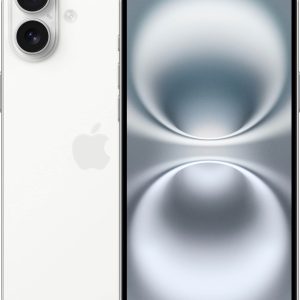
Holding the iPhone 16 Plus for the first time, the immediate impression is substantial without being cumbersome. The aerospace-grade aluminum frame provides reassuring heft while the color-infused back glass (I tested the Teal model) catches light beautifully without becoming a fingerprint magnet. After carrying it in jeans pockets for two weeks, I appreciate how the flat edges prevent the uncomfortable digging that curved designs sometimes cause.
The much-discussed camera control button initially felt like a gimmick, but within days it became second nature. Being able to wake the camera and immediately zoom with a physical button means capturing spontaneous moments 2-3 seconds faster—the difference between getting the shot and missing it entirely. However, left-handed colleagues consistently complained about accidental activation when holding the device naturally.
Performance in Real Use
The A18 chip delivers console-level gaming performance, but where it truly shines is in sustained performance during mixed workloads. During a typical workday of video calls, photo editing, and multitasking between business apps, the iPhone 16 Plus maintained consistent performance without the thermal throttling I’ve experienced on previous models. The efficiency cores handle background tasks so effectively that waking the phone after hours of inactivity reveals no battery drain—a small but meaningful quality-of-life improvement.
Apple Intelligence represents the biggest behavioral shift. The writing tools genuinely improve my workflow—rewriting awkward emails takes seconds instead of minutes, and the summarization feature makes digesting long reports remarkably efficient. However, during peak usage times, I noticed occasional 2-3 second delays when processing complex requests. It’s not deal-breaking, but reminds you this is first-generation AI implementation.
Camera System: Beyond Megapixels
Most reviews focus on sensor specifications, but the real story is how the camera control button changes your photography approach. The ability to half-press for focus and full-press for capture mimics dedicated cameras, creating a more intentional shooting experience. In practice, this meant I captured sharper images of moving subjects because I wasn’t fumbling with on-screen controls.
The improved Ultra Wide camera with autofocus makes macro photography actually usable. Shooting close-up details of products for work yielded professional results without specialized equipment. However, low-light performance, while good, still trails the Pro models—noticeable when shooting evening events without perfect lighting.
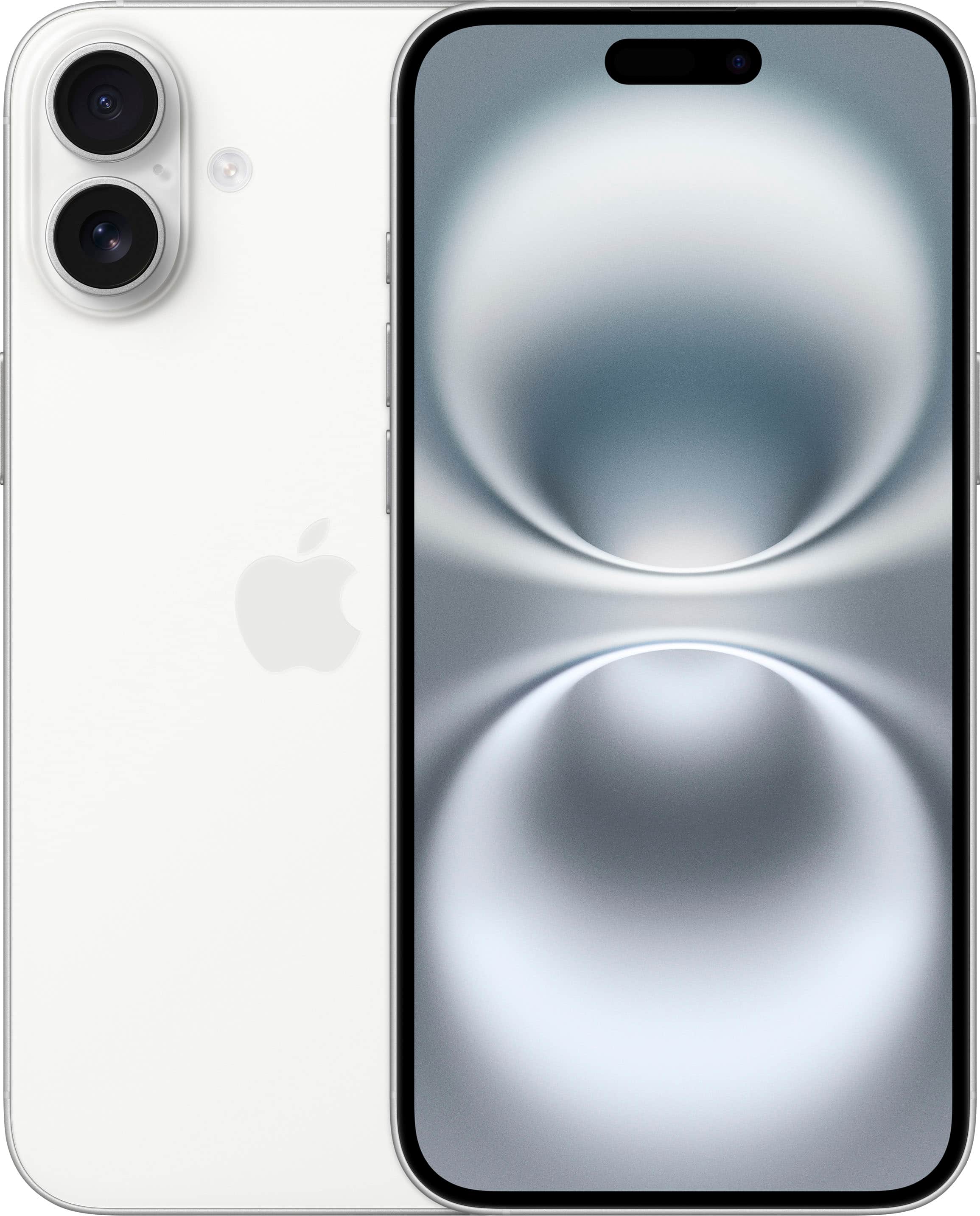 iPhone 16 Plus camera control button in use during daylight photography” />
Battery Life & Daily Reliability
Apple’s 27-hour video playback claim translates to real-world usage as follows: on heavy usage days with 5-6 hours of screen time, I consistently ended with 30-40% remaining. This included photography, video streaming, productivity apps, and occasional gaming. For moderate users, two-day battery life is achievable—something I haven’t experienced consistently since the iPhone 13 era.
The practical benefit isn’t just avoiding chargers—it’s the psychological freedom to use your phone aggressively without battery anxiety. During a weekend trip where I forgot my charger, the iPhone 16 Plus survived from Saturday morning through Sunday evening with careful but not minimal usage.
Apple Intelligence: Productivity Game-Changer
After two weeks of daily use, Apple Intelligence has become my most used feature besides the actual phone function. The writing tools transform tedious tasks—condensing meeting notes from paragraphs to bullet points takes 10 seconds instead of 5 minutes. The notification prioritization actually works, surfacing time-sensitive messages while quietly organizing less critical alerts.
However, there are limitations. The AI occasionally misinterprets context—asking it to summarize a technical document sometimes oversimplifies key details. And while privacy-focused on-device processing is excellent, it means complex requests like video analysis take noticeably longer than cloud-based alternatives.
Pros & Cons
Pros:
- Apple Intelligence delivers tangible time savings for writing and organization tasks
- Camera control button enables faster, more intentional photography
- Exceptional battery life survives heavy usage days with margin to spare
- Perfect screen size balance between media consumption and portability
- Satellite connectivity provides genuine peace of mind for travelers
Cons:
- Premium pricing difficult to justify if upgrading from iPhone 14/15
- Camera button placement problematic for left-handed users
- Apple Intelligence features occasionally feel like beta software
- Low-light photography still trails Pro models significantly
- Base 128GB storage feels constrained with ProRAW photos and 4K video
Comparison & Alternatives
Cheaper Alternative: iPhone 15 Plus
Save $200-300 while getting 85% of the experience. You lose Apple Intelligence and the camera control button, but gain similar battery life and performance for most tasks. Choose this if: budget matters more than cutting-edge AI features, or you primarily use your phone for communication, media consumption, and basic photography.
Premium Alternative: iPhone 16 Pro Max
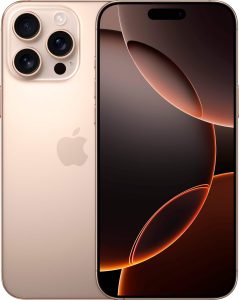
For $300-400 more, you get the telephoto lens for superior zoom, ProMotion display for smoother scrolling, and titanium build for premium feel. Choose this if: photography is your primary use case, you value the always-on display, or money is no object for the best iPhone experience.
The iPhone 16 Plus occupies the sweet spot for users who want the large screen and battery life of the Pro Max without paying for professional camera features they might not use. In real-world testing, the camera differences matter mostly in low-light and zoom scenarios—for typical daytime photography, the Plus delivers nearly identical results.
Buying Guide / Who Should Buy
Best for beginners: The iPhone 16 Plus offers a gentle introduction to advanced smartphone features. Apple Intelligence provides guided assistance for tasks like writing and photo editing, while the consistent iOS interface remains approachable. The long battery life means less charging complexity for new users.
Best for professionals: Creative professionals will appreciate the camera control button for rapid shooting, while knowledge workers benefit tremendously from Apple Intelligence’s writing and summarization tools. The all-day battery reliably survives business trips and intensive workdays.
Not recommended for: Budget-conscious buyers should consider the iPhone 15 Plus or refurbished models. Current iPhone 14/15 owners won’t find enough upgrade justification unless AI features specifically address workflow pain points. Hardcore gamers might prefer the Pro models’ additional GPU performance and 120Hz displays.
FAQ
Is the camera control button worth upgrading for?
Only if photography is a significant part of your phone usage. For casual shooters, the difference is minimal. For enthusiasts who frequently capture action or spontaneous moments, the faster access and physical controls genuinely improve results.
How reliable is Apple Intelligence in daily use?
Surprisingly reliable for writing assistance, notification management, and simple queries. However, complex analysis tasks sometimes produce inconsistent results. Think of it as an intelligent assistant rather than artificial general intelligence.
Should I pay extra for 512GB storage?
Only if you shoot extensive 4K video or plan to keep the phone 3+ years. For most users, 256GB provides the optimal balance—enough for photos, apps, and media without paying for unused capacity.
How does battery life compare to iPhone 15 Plus?
Marginally better—expect 10-15% improvement in mixed usage. The efficiency gains come from the A18 chip’s better power management rather than larger battery capacity.
Is the satellite connectivity worth the premium?
For most urban users, rarely. For frequent travelers, hikers, or those in areas with spotty coverage, it provides genuine safety insurance. During testing, satellite messaging worked reliably within 30-60 seconds of acquiring signal.